
How to Keep Consistent Characters in AI Comics
Summary: Learn how to keep the same characters consistent in AI comics. Discover methods like references, prompts, and AI tools for consistency across panels and pages.
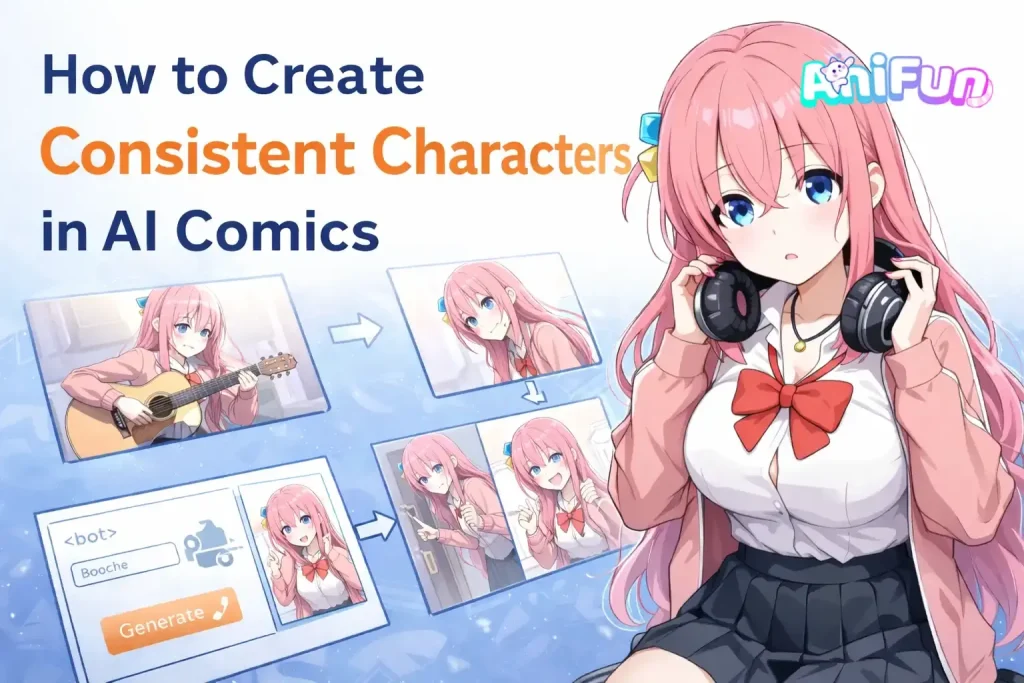
When creating comics with AI, many users quickly notice a frustrating issue: the character doesn’t always stay the same. In one panel the hairstyle may change, in another the face or clothing looks different. These small inconsistencies can easily break the flow of a story.
This often happens when trying to create consistent characters with AI, especially when generating multiple panels or pages of a comic. Since most AI image models generate each image independently, maintaining the same character across scenes can be difficult.
So how can creators keep their characters recognizable from panel to panel? To answer that, we first need to understand what character consistency means in comics.
What Is Character Consistency in Comics
Character consistency means that a character keeps the same appearance throughout a comic. Key visual traits—such as hairstyle, facial features, clothing, and colors—stay recognizable from one panel to the next and across multiple pages.
In AI comics, maintaining character consistency means the character generated in each panel should still look like the same person. If the design changes between images, the story can quickly feel confusing or disconnected for readers.
Why AI Often Fails to Keep Characters Consistent
AI image models usually generate each image independently. When creating multiple panels for a comic, the model does not truly “remember” the character from previous images. This is one of the main reasons maintaining consistency in character AI generation can be challenging.
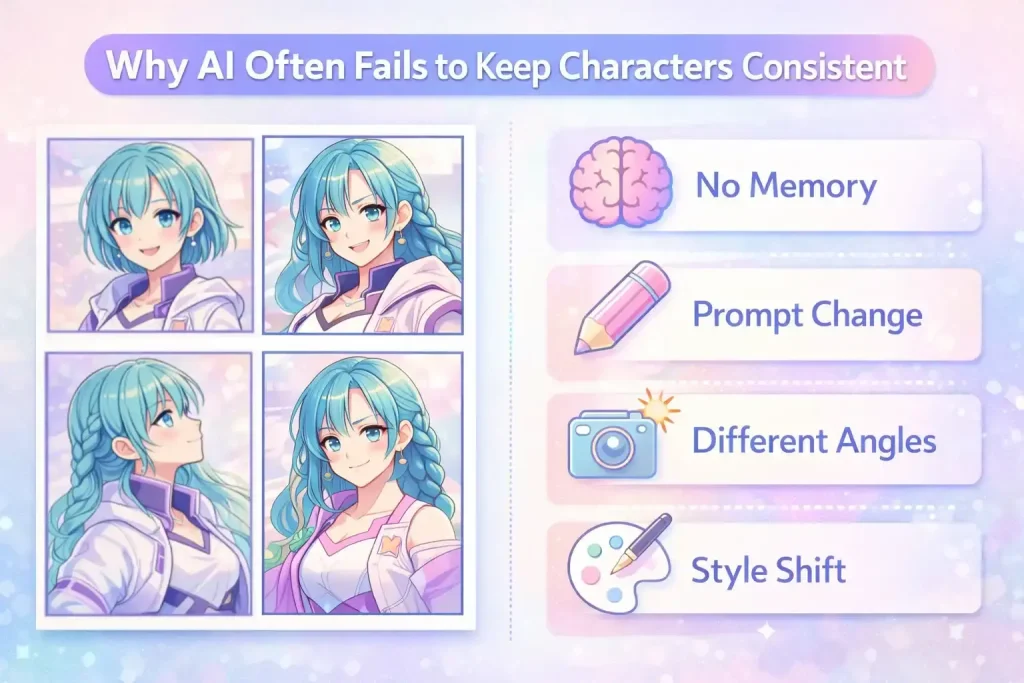
Several factors can cause characters to change between panels:
● 🧠 No persistent memory – Most AI models generate each image separately and don’t retain the exact character design.
● ✏️ Prompt variations – Even small wording changes in prompts can lead the AI to reinterpret the character.
● 📷 Pose and camera differences – Different angles, poses, or lighting can cause the AI to alter facial features or proportions.
● 🎨 Style interpretation – The model may slightly adjust hairstyle, clothing, or colors when generating a new image.
Because of these limitations, keeping the same character design across multiple panels or pages can be difficult when creating comics with AI.
Why Character Consistency Matters in Comics
Character consistency is essential for clear visual storytelling. Readers rely on visual cues to quickly recognize characters. If a character’s appearance changes between images, the story can quickly become confusing.
In comics, consistency works on three levels:
● 🧩 Panel Level — Instant RecognitionWithin a single page, characters appear across multiple panels. Their face, hairstyle, and clothing should stay recognizable so readers can immediately identify them.
● 📄 Page Level — Visual ContinuityAs the story moves across a page, the character’s design should remain stable from panel to panel. Consistency keeps the visual flow smooth and easy to follow.
● 📚 Story Level — Narrative CohesionAcross multiple pages or chapters, maintaining the same character design helps readers stay immersed in the story and understand the narrative clearly.
Because of this, maintaining consistent characters with AI is crucial when generating comics rather than single images. The good news is that with the right tools and workflow, creators can reliably keep characters consistent across panels and pages.
In the next section, we’ll look at practical ways to achieve this using an AI consistent character generator and structured character references.
How to Create Consistent Characters in AI Comics
Keeping characters consistent across comic panels takes more than repeating the same prompt. Creators often rely on reference images, structured prompts, and consistent character AI tools to keep a character’s design stable.
Today, many creators use AI tools built for comic generation to keep characters consistent across panels and pages. Below is a simple workflow you can follow.
Use an AI Comic Generator with Character References
One of the most effective ways to maintain character consistency in AI comics is to use a generator that supports character reference images. By applying the same reference image, the AI can generate new panels while keeping the character’s core appearance recognizable.
In Anifun AI Comic Generator, you can upload a character image and reuse it across different scenes, helping keep the character consistent throughout the comic.
Here are the simple steps to get started.
How to Generate Consistent Characters (3 Simple Steps)
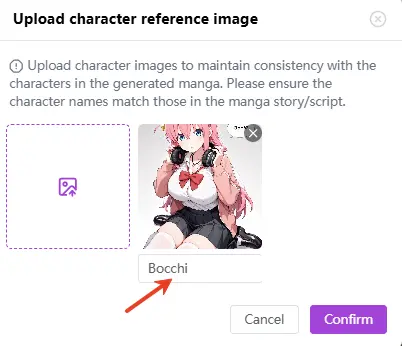
1️⃣ Upload your character reference image
Start by uploading your character illustration and giving the character a name. This reference image acts as the visual anchor the AI uses to keep the character’s appearance consistent.
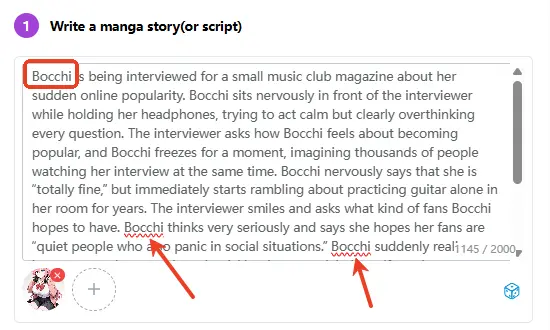
2️⃣ Write the story prompt using the character’s name
Describe the scene or story you want to generate. Make sure the character’s name appears clearly as the subject in the prompt. This helps the system correctly apply the character reference to the generated panels.
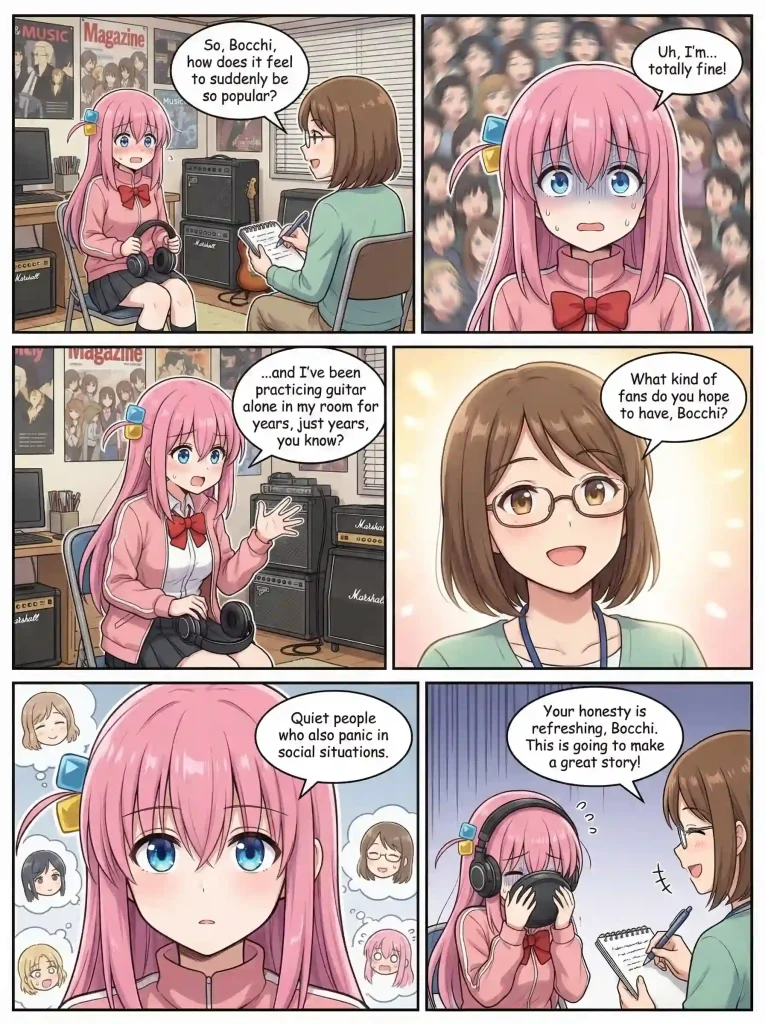
Bocchi is being interviewed for a small music club magazine about her sudden online popularity. Bocchi sits nervously in front of the interviewer while holding her headphones, trying to act calm but clearly overthinking every question. The interviewer asks how Bocchi feels about becoming popular, and Bocchi freezes for a moment, imagining thousands of people watching her interview at the same time. Bocchi nervously says that she is “totally fine,” but immediately starts rambling about practicing guitar alone in her room for years. The interviewer smiles and asks what kind of fans Bocchi hopes to have. Bocchi thinks very seriously and says she hopes her fans are “quiet people who also panic in social situations.” Bocchi suddenly realizes how strange that sounds and quickly tries to explain herself, getting even more flustered. In the final panel, Bocchi hides her face behind her headphones while the interviewer writes down notes and says Bocchi’s honesty might actually make the interview very popular. The tone is lighthearted, slightly awkward, and comedic, like a shy musician accidentally becoming relatable during an interview.
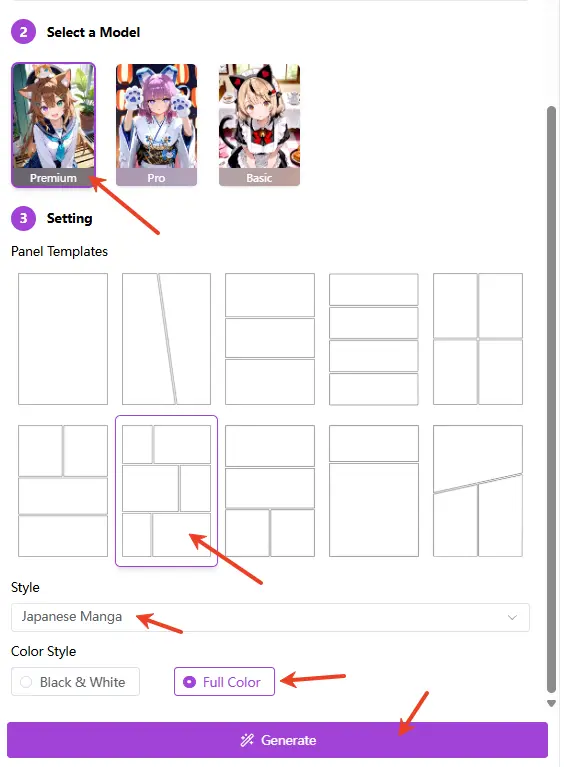
3️⃣ Adjust basic settings and generate the comic
Choose your preferred model, storyboard type, comic style, and color settings. Once everything is set, generate the comic panels while keeping the same character design across the story.
Tips for Maintaining Character Consistency
When generating multi-panel or multi-page comics, a few best practices can help keep your characters consistent and avoid unexpected changes.
⚠️ Avoid conflicting appearance descriptions
Make sure the character’s visual traits in the reference image do not conflict with descriptions in your story prompt. In most cases, it’s best not to repeat detailed appearance descriptions in the prompt, so the system can rely on the reference image for the character’s design.
🎨 Keep core generation settings consistent
When creating multiple pages, try to keep the same model, comic style, and color settings. Changing these may affect the visual consistency of the character across pages. The storyboard layout can be adjusted without affecting the overall character design.
👥 Manage multiple characters carefully
Anifun AI Comic Generator also supports multiple character references. For best results, try to keep fewer than three characters on a single page to avoid visual confusion. If your story includes many characters, you can distribute them across different pages and upload the relevant character references for each scene.
Example Results of Consistent Characters in AI Comics
Example 1: Anime Characters
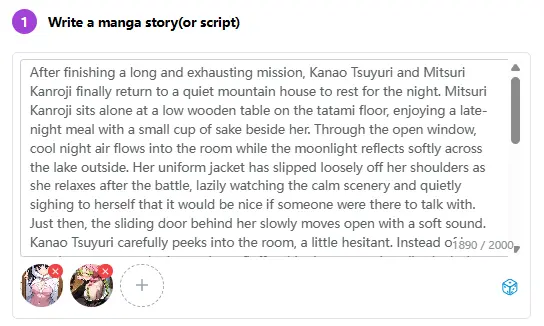
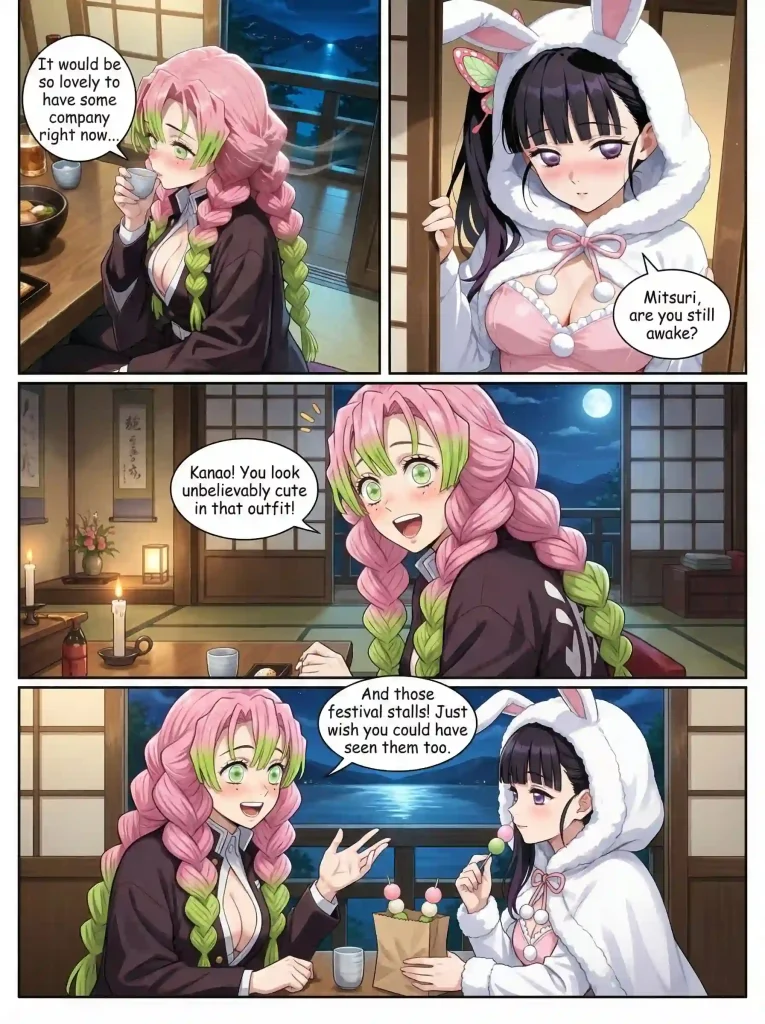
In this example, we generated a comic scene featuring Kanao Tsuyuri and Mitsuri Kanroji from Demon Slayer: Kimetsu no Yaiba. By applying reference images for both characters, the AI was able to keep their recognizable traits consistent across the generated panels—such as Kanao’s unusual bunny-girl outfit and Mitsuri’s signature hairstyle.
This demonstrates how using character references helps maintain clear character consistency, even when multiple characters appear in the same scene.
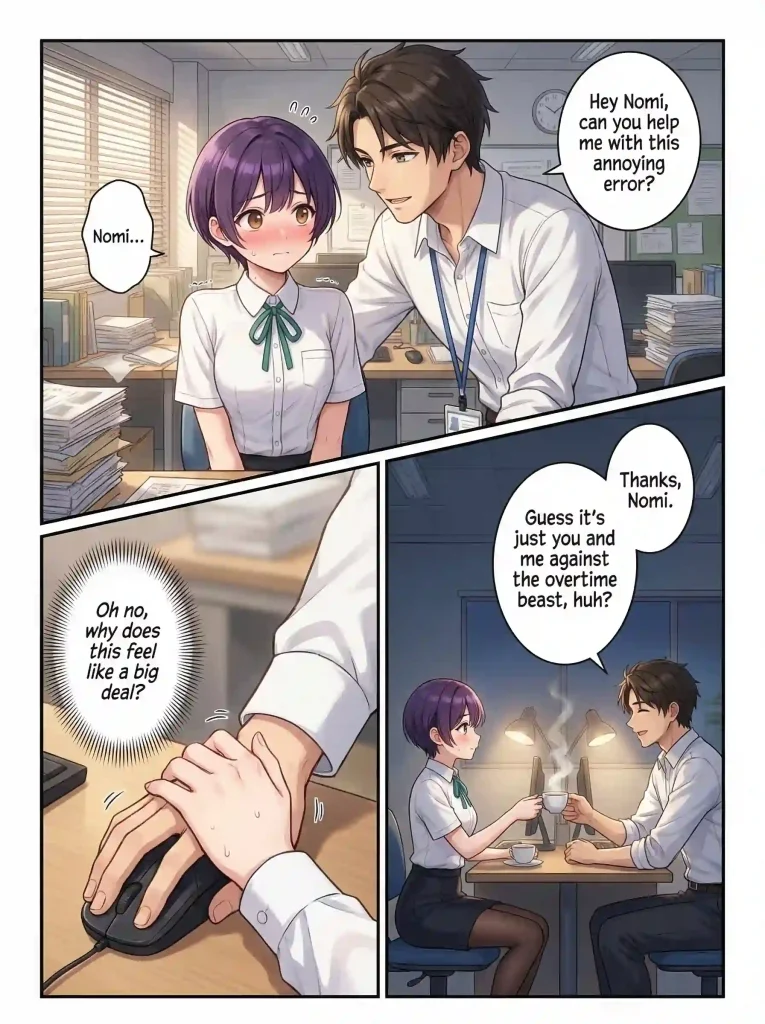
Example 2: Original Character – Nomi
Character consistency is equally important for original characters. In this example, we generated comic panels featuring an original character named Nomi. By uploading Nomi’s illustration as a reference, the AI can accurately reproduce her appearance across different panels.

Conclusion
Keeping characters consistent is one of the most common challenges when creating comics with AI. Since each image is generated separately, even small changes in prompts or settings can cause a character to look slightly different from panel to panel.
Using reference images and the right consistency character AI tools can make a big difference. With features like character references and storyboard generation, tools such as Anifun AI Comic Generator help creators maintain character consistency across multiple panels and pages.
Whether you’re building a short comic scene or a longer story with original characters like Nomi, maintaining a stable character design helps readers follow the story more easily.