Anime OC Maker: Create Fanart OCs for Popular Anime
Summary: Create anime fanart OC for popular anime without complex prompts. Learn how AniFun simplifies anime OC creation with style-accurate presets and pose control.
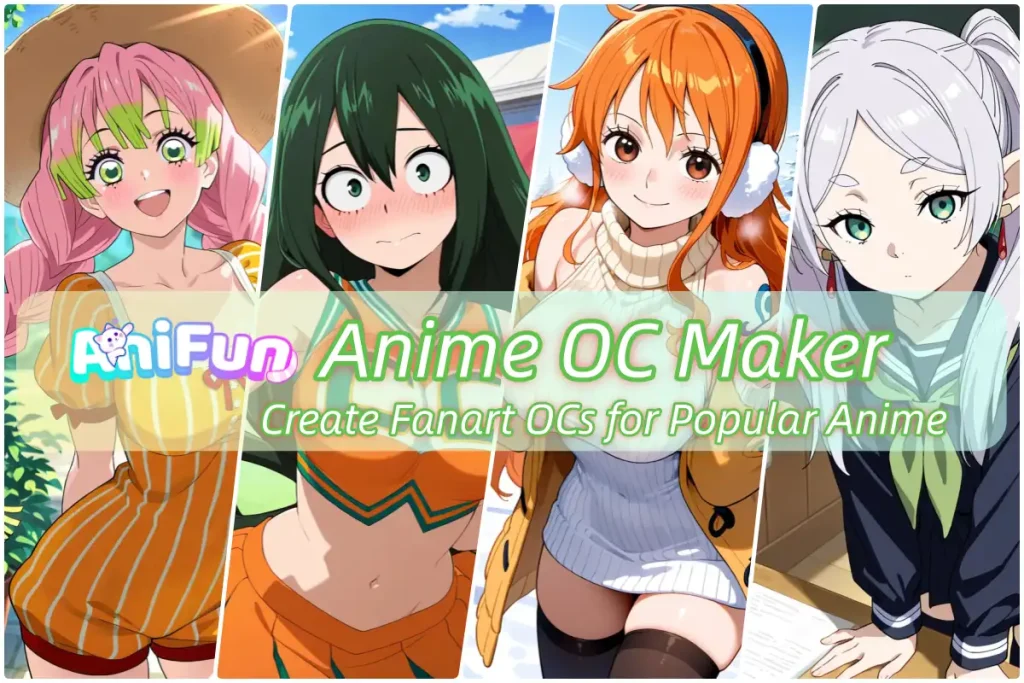
Creating an anime OC is no longer just about drawing skills—it often means choosing the right model, matching the correct anime style, and controlling poses, outfits, and character consistency. For fans who want to create original characters inspired by popular anime series, this process can quickly become complicated and time-consuming. In this article, we’ll break down what an anime OC maker actually does, how modern tools simplify the workflow, and what to look for when creating high-quality anime fanart across different anime styles.
What Are You Actually Creating with an Anime OC Maker?
Original OC Characters
Original OC characters are created without needing to match any existing anime IP. The creator defines the character’s look, outfit, and style with full creative freedom.
Because there are no strict style constraints, original OCs are generally easier to create and more forgiving visually.
Original OC creation is commonly used for:
- Designing brand-new anime characters
- Experimenting with unique styles or aesthetics
- Exploring ideas without stylistic constraints
Fanart OCs Based on Popular Anime Series
Fanart OCs are original characters designed to fit into a specific anime universe. While the character itself is new, the art style must clearly resemble a known anime series.
For example, a Demon Slayer–inspired OC is expected to match the series’ sharp linework and dramatic lighting. The same applies to fanart OCs based on Naruto, Chainsaw Man, or Genshin Impact—each has a distinct visual identity that fans instantly recognize.
Why Fanart OC Creation Is More Complex Than Original OCs
The main challenge of fanart OC creation is style accuracy. Unlike original OCs, fanart OCs must closely follow existing visual rules.
Compared to original OCs, fanart OCs usually require creators to:
- Match a specific anime’s visual style
- Keep consistent proportions and facial features
- Use coloring and lighting that feel canon-accurate
- Avoid elements that clash with the original anime look
Because of these constraints, fanart OC creation often involves more adjustments and higher tool requirements than creating original characters.
The Traditional Fanart OC Creation Workflow — Why It Feels Complicated
Traditional fanart OC creation relies on combining multiple technical elements. While each part is manageable on its own, coordinating all of them at the same time is what makes the process feel complex and time-consuming.
✍️ Prompts
🧠 Models
Models define the overall anime style. Choosing a general model is rarely enough for fanart OCs, and selecting the wrong one can easily result in a style mismatch.
🎭 LoRA
LoRA files are used to inject specific anime styles or traits. While effective, they require careful balancing—too weak and the style disappears, too strong and the character becomes distorted.
⚙️ Parameters — Where Complexity Adds Up
This layered workflow is why traditional fanart OC creation feels difficult. The complexity doesn’t come from creativity—it comes from managing too many moving parts at once.
How AniFun Simplifies Anime Fanart OC Creation
🎯 No Character Prompts Needed for Anime Styles
In traditional workflows, users must describe anime styles and character traits through detailed prompts. With AniFun, anime-specific models and character LoRAs are already pre-configured for popular anime series.
This means users don’t need to write or fine-tune character prompts just to achieve a recognizable anime style—the visual foundation is already set before generation begins.
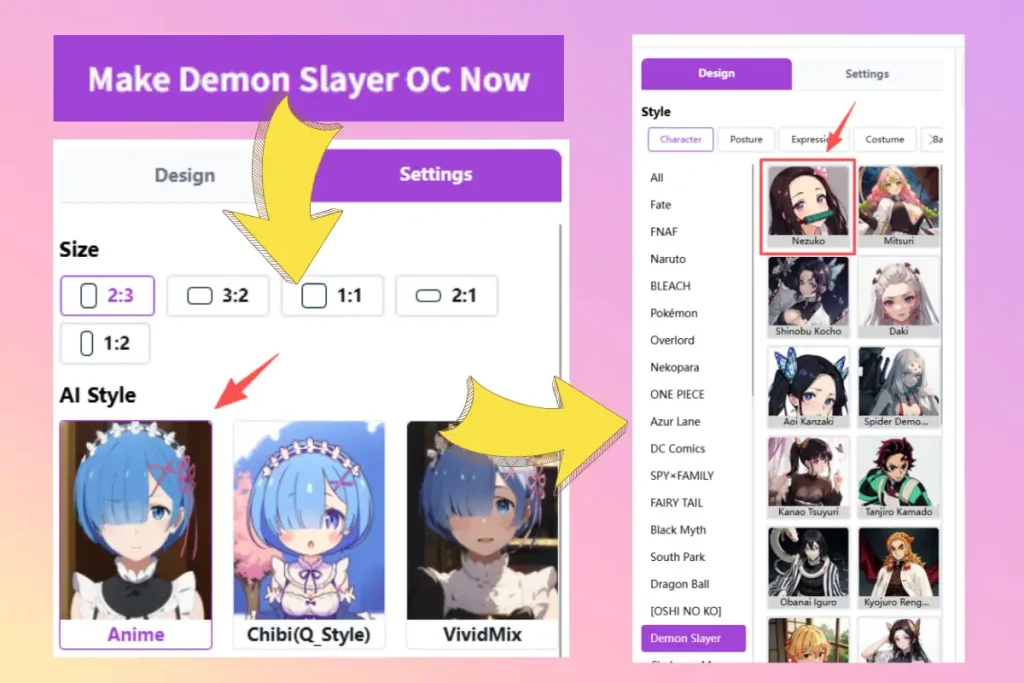
🧍♂️ Preset Poses, Expressions, Outfits, and Backgrounds
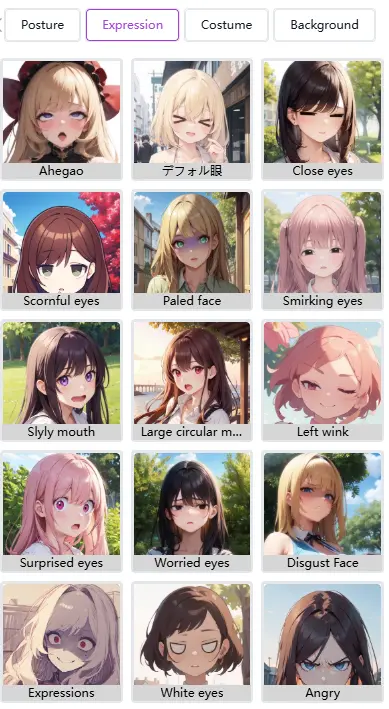
Instead of manually adjusting wording, users can select predefined pose, expression, outfit, or background options and maintain consistent results across generations—without relying on prompt engineering.
By removing the need to manage prompts, models, and LoRAs separately, AniFun turns anime fanart OC creation into a more direct and approachable workflow. The complexity is handled in advance, allowing creators to spend more time refining ideas and less time troubleshooting results.
How to Get Better Results When Creating Anime Fanart OCs
Even with a simplified workflow, small creative choices still make a noticeable difference in the final result. The following examples and tips show how to use an anime OC maker to create cleaner, more consistent fanart OCs—without adding extra complexity to the process.
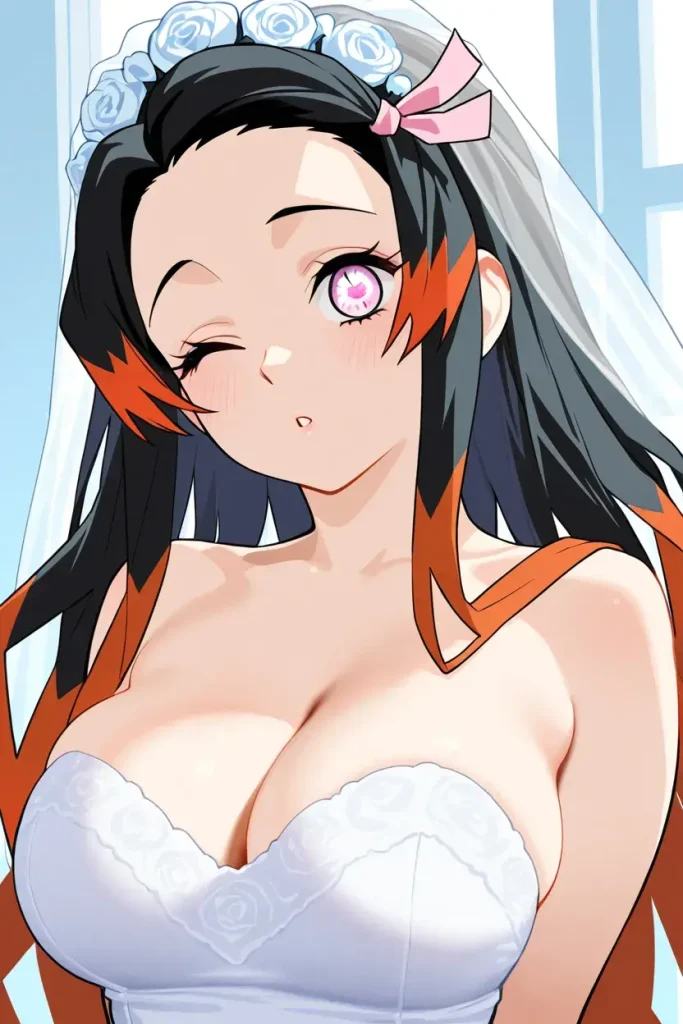
Example 1: Preset Workflow (No Prompts Needed)
Best for: fast results, clean fanart style, minimal setup.
This approach uses the default anime model and the pre-selected character LoRA. An additional style LoRA is applied to fine-tune the visual feel, without writing any character prompts.
What’s selected:
- Default model: Anime
- Default character LoRA: Nezuko
- Optional style LoRA: Left Wink(Expression) , Wedding dress(Costume)
Why it works: The core anime style and character structure are already aligned. Adding a style LoRA refines the look without introducing prompt-related instability, making this workflow ideal for consistent fanart OC creation.
Example 2: Custom Workflow (When Presets Aren’t Enough)
Best for: specific poses, expressions, outfits, or backgrounds not covered by presets
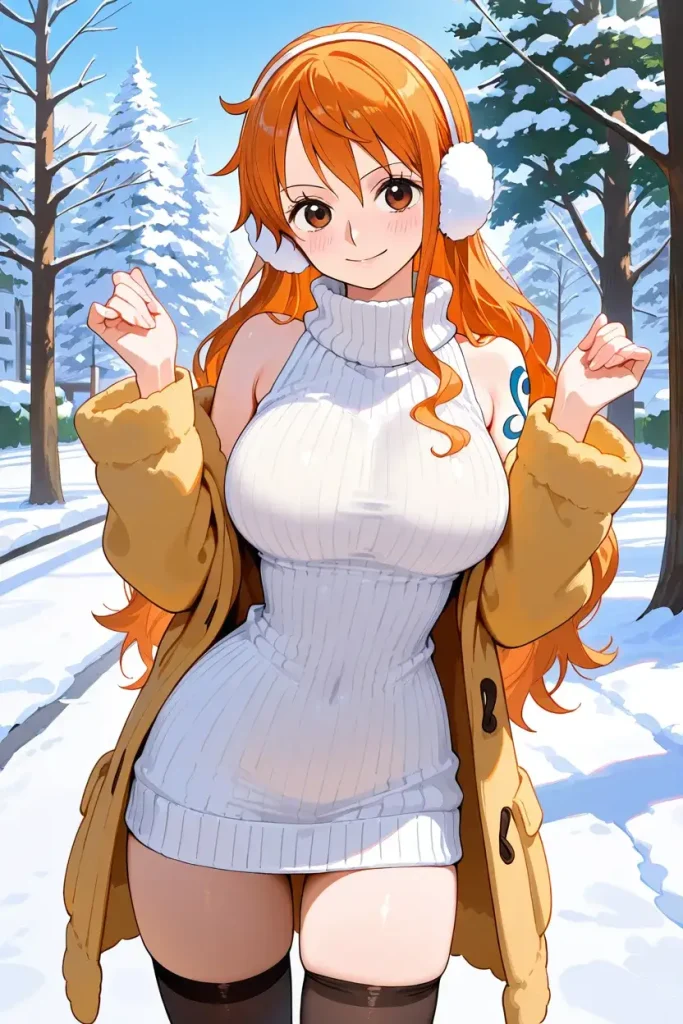
When the built-in pose, expression, outfit, or background options don’t match the creative goal, creators can switch to a more flexible setup by selecting a custom model and character LoRA.
What’s selected:
- User-selected model: VividMix
- Character LoRA: Nami
- Custom inputs for pose, expression, outfit, or background(e.g., cowboy pose, smile, white sweater, city street)
Why it works: This workflow keeps the character’s core style stable while allowing targeted customization. By only switching to custom inputs when needed, creators avoid reintroducing unnecessary complexity.
How to Choose Between the Two
- Start with the preset workflow whenever possible
- Switch to the custom workflow only when a specific visual element can’t be achieved through presets
- Avoid mixing too many changes at once to maintain consistency
How to Get Better Results
Error Avoidance
Avoiding common mistakes can significantly improve output quality and reduce failed attempts.
- Limit style LoRAs: Using more than three style LoRAs often confuses the model and leads to mixed or unstable visuals. Fewer, well-chosen styles produce cleaner results.
- Adjust gradually: When fine-tuning, change only one or two options at a time. Large simultaneous changes can override the original look you were aiming for.
- Use character LoRAs carefully: It’s best to use one character LoRA per generation. Using two or more is possible but not recommended. If you do combine multiple character LoRAs, add the corresponding character names in the prompt to help the model distinguish them.
- Rely on clear keywords: Clear, descriptive keywords are more effective than stacking excessive modifiers. Precision works better than quantity.
Advanced Feature Expansion
The AI Anime Art tool provides access to additional SDXL models for users who want more control and experimentation.
These advanced options are best suited for users who already understand AI image generation and know how to write effective prompts. Over-relying on prompts without a clear structure may reduce consistency rather than improve results.
For most cases, starting with presets and introducing advanced controls only when needed leads to better and more stable outcomes.
Conclusion
Creating anime OC or fanart characters doesn’t need to be complicated. Most generation issues come from overloading prompts, mixing too many LoRAs, or changing too many variables at once.
By simplifying the creation logic—using preset models, focused character LoRAs, and controlled adjustments—users can achieve more consistent and higher-quality results with less trial and error.
Anifun is designed around this principle: reducing unnecessary complexity while keeping creative flexibility. Whether you’re starting with presets or exploring advanced models later, the goal remains the same—helping you create anime characters that look right, faster, and with more control.