How Expression Changer Helps Manga Creators Decide Emotions?
Summary: This article shows how AI helps manga creators fix common expression problems, keeping characters’ faces consistent, natural, and full of emotion.
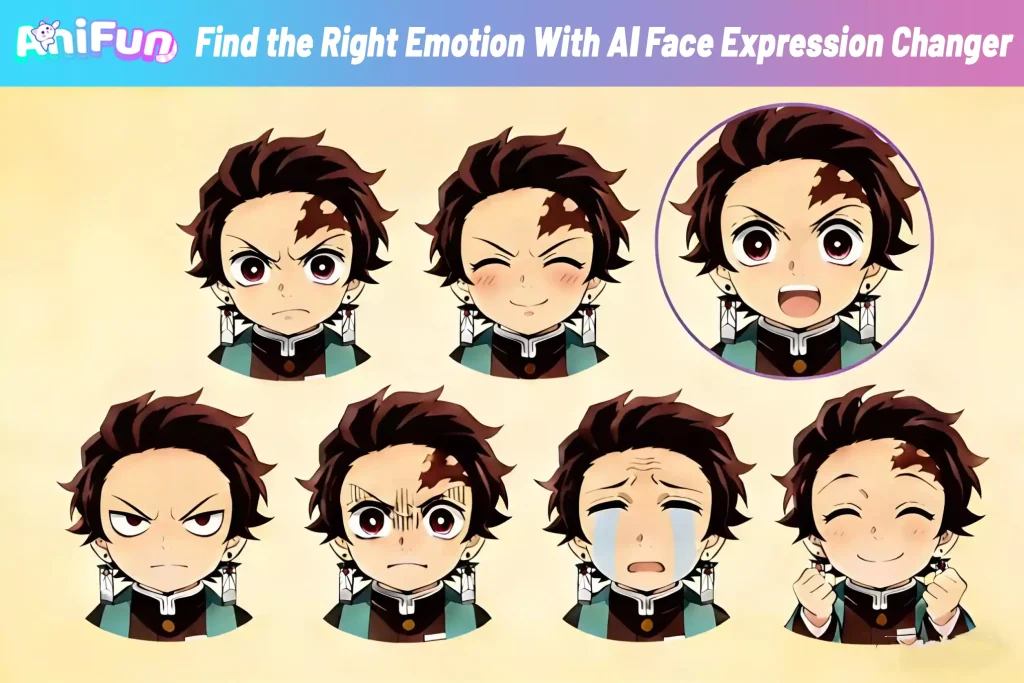
Through conversations with many manga creators, we repeatedly hear similar frustrations: When designing a new character, each panel’s expression can end up looking like a different person. A slight change in angle throws off the style; hesitant expressions feel stiff; angry expressions become overly exaggerated. Then comes the real dilemma: Should the next panel show anger—or quiet hurt?
That’s exactly the problem AniFun AI Face Expression Changer was designed to solve. It allows creators to generate multiple facial expression references in one click, without breaking the original art style, helping characters feel more natural and alive. Below, we’ll look at three common expression challenges manga creators face—and how AI can help address them.
Why Do All My New Character Expressions Look Slightly Different?
The Problem Many Manga Creators Run Into:
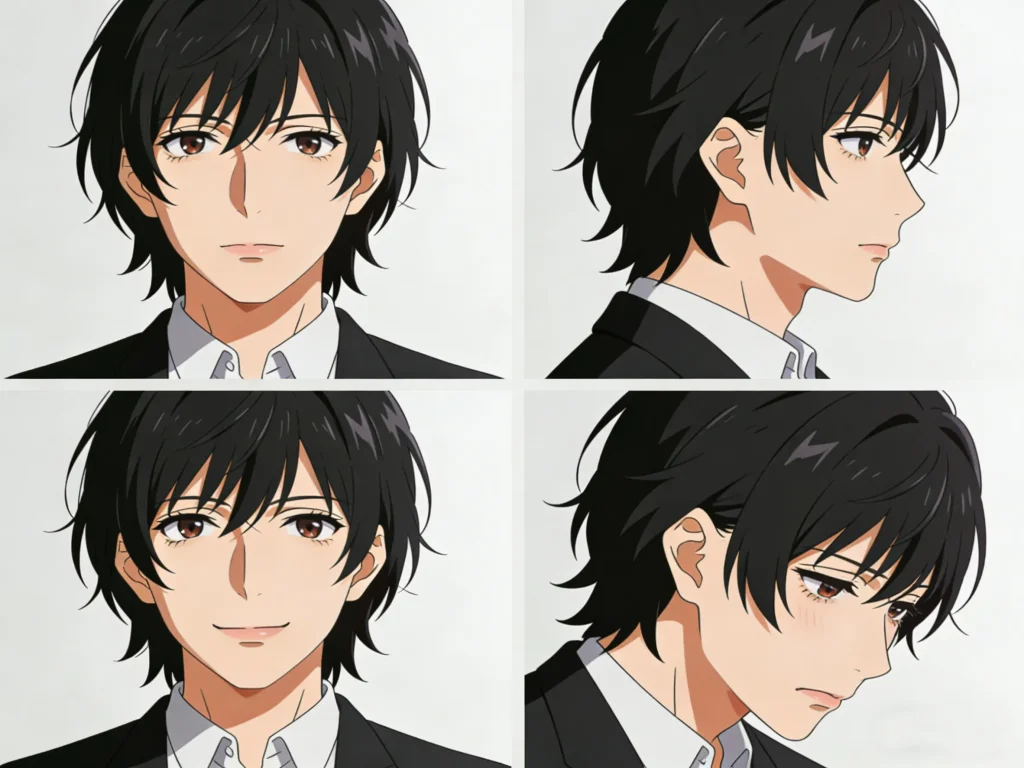
During the character setup phase, creators often finish a clean, satisfying base illustration. But once they start drawing additional facial expressions, issues appear.
A slightly different eye angle, an awkward mouth shape, or insufficient facial tension—small changes like these can completely shift a character’s vibe. Many creators find themselves asking:
“Why does the same character look wrong as soon as I draw more expressions?”
How Expression changer Helps Clarify the Character:
In these cases, creaters can use an AI facial expression changer tool to generate multiple expression variations based on the original character image. By comparing different emotions and angles side by side, it becomes much easier to see which expressions stay true to the character—and which ones drift off-model.
What Changes After Using AI Expression References:
AI-generated expressions maintain a high level of stylistic consistency, helping creators define clear boundaries for a character’s facial range. Instead of constantly fixing faces, creators can focus again on character development and storytelling, while gradually building a stronger understanding of what expressions truly fit the character.
How Can I Make Subtle or Extreme Expressions Look Natural?
Where Expressions Usually Go Wrong:
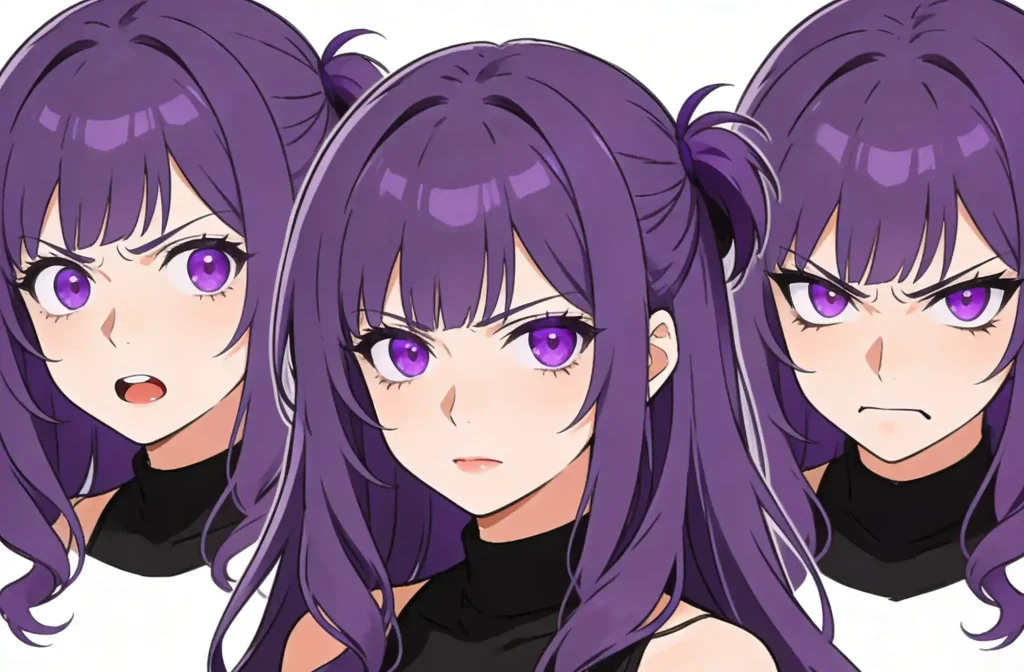
Stories often require very delicate emotional shifts—hesitation, shyness, sarcasm—or intense emotions like shock, rage, or breakdowns.
But many creators struggle here: subtle emotions look stiff, while extreme ones quickly become overdone. Even after multiple revisions, the result still feels unnatural.
Seeing Emotional Range Side by Side:
Learning Emotion Through Comparison:
I Know the Scene Is Emotional, But What Expression Should I Draw?
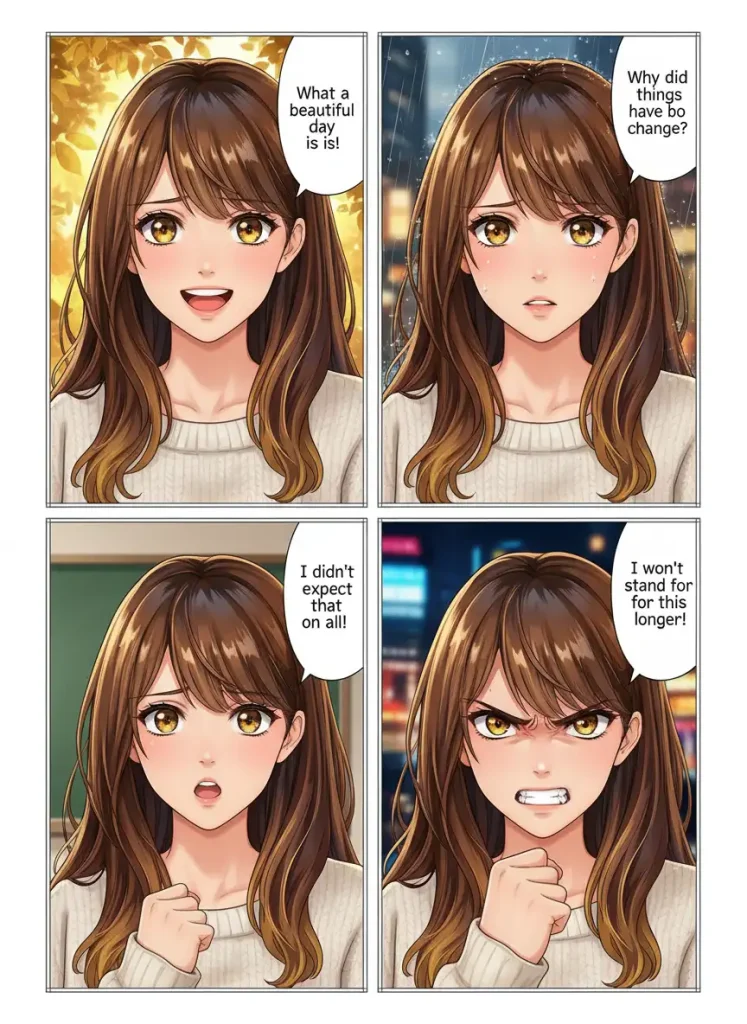
A Common Beginner's Block:
Using AI Tool to Explore Options Before Drawing:
Smoother Emotional Flow Between Panels:
Conclusion
With AniFun AI Face Expression Changer, you can instantly generate facial expression references for your characters—whether you need subtle emotions or dramatic reactions. For beginners, it’s a fast track to understanding and mastering facial expressions. For experienced creators, it’s a powerful tool to boost efficiency and maintain stylistic consistency.
Bring your manga characters to life. Make your workflow smoother, your storytelling more emotional, and stop getting stuck on expressions. Try AniFun AI Face Expression Changer today, and let every panel feel alive.