Smart AI Conversion
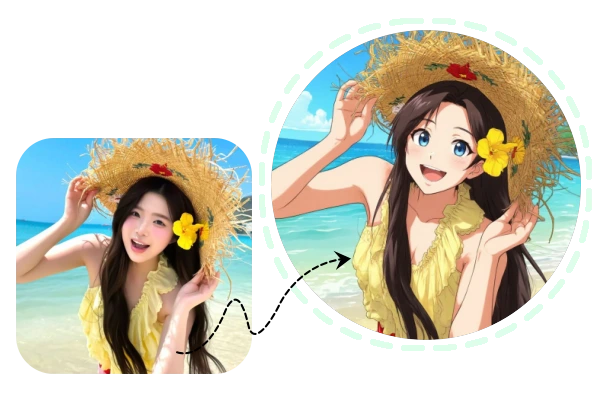
Our model captures facial structure, lighting, and color precisely, turning flat illustrations into realistic, human-like results in seconds.
Transform your cartoon or anime characters into realistic portraits effortlessly. Just upload an image, and our free AI tool will recreate it with natural textures, lighting, and human-like details. Simple, fast, and ideal for artists, illustrators, or anyone who loves creative visuals.
Upload Image & Start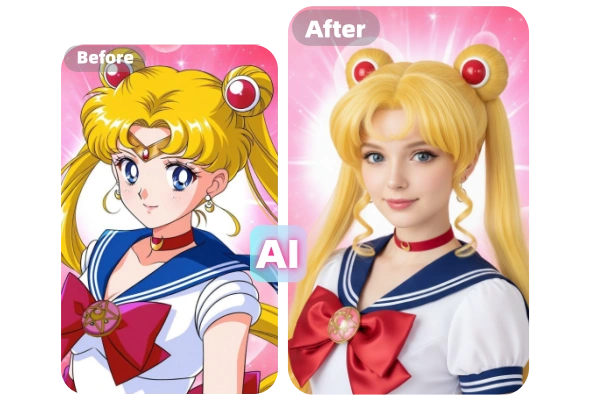
Discover the easiest way to turn your cartoon or anime characters into realistic portraits. Our AI tool is designed for creators who want quick, high-quality, and natural-looking results without complex editing or prompts.
Our model captures facial structure, lighting, and color precisely, turning flat illustrations into realistic, human-like results in seconds.
No setup, no learning curve. Just upload your cartoon image and get a detailed realistic version instantly.
Create as many realistic conversions as you like — completely free, with no hidden fees or subscriptions required.
Enjoy realistic skin texture, natural lighting, and soft edges — all automatically optimized for a true-to-life finish.
Wonder what your cartoon would look like in real life? Our AI cartoon to realistic generator gives you the answer instantly. Simply upload your cartoon image — no prompt, no complex setup required. The tool automatically detects characters, colors, and structure, then turns them into realistic photos with just one click. It’s effortless, accurate, and perfect for anyone who wants quick, high-quality results.
Turn My Cartoon into Realistic Style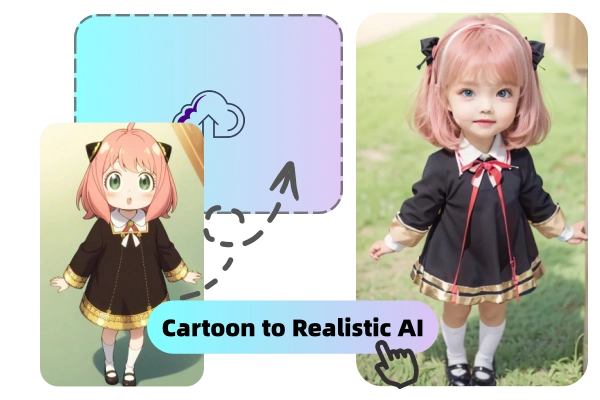
Our advanced AI Cartoon to Realistic Converter analyzes every visual element of your cartoon, from facial expression to color tone and pose, ensuring that the transformation feels authentic while keeping each character’s unique charm. The result is a lifelike image that maintains the spirit and design of your original artwork — realistic yet recognizable, detailed yet faithful to the source.
Generate Realistic Photo with AI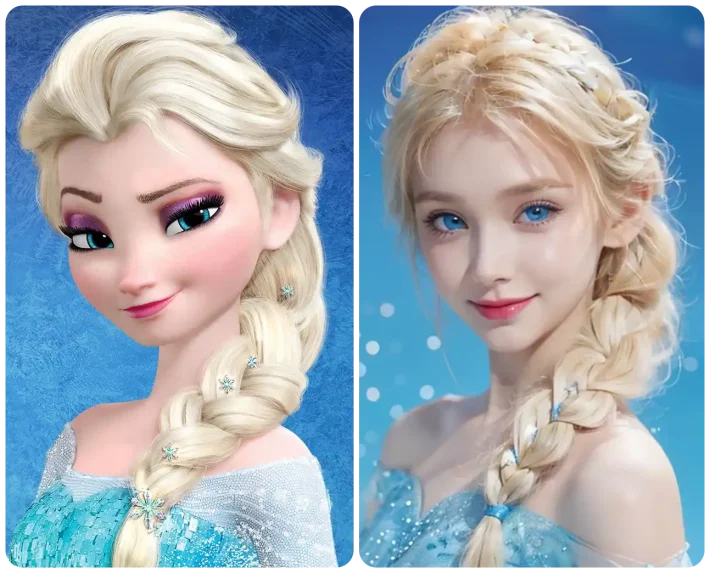
No need to download or register — just upload your image and let the conversion begin. Our browser-based Cartoon to Realistic AI Generator runs fast, keeps your data private, and deletes uploaded images automatically after processing. Whether you’re exploring anime-to-real-life edits or turning fan art into realistic visuals, you can enjoy a safe and seamless experience anytime, anywhere.
Turn Sketch to Realistic Image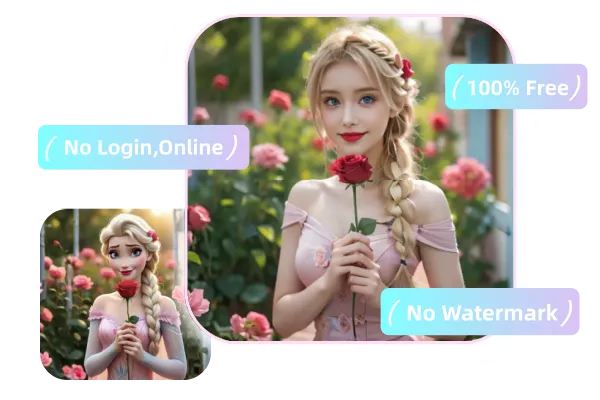
| Feature | Anifun Cartoon to Realistic AI | Other Tools (Traditional & AI Alternatives) |
|---|---|---|
| Ease of Use | ✅ One-click cartoon to realistic conversion, no learning curve | ⚠️ Often require complex settings or manual adjustments |
| Character Consistency | ✅ Preserves facial structure and identity during realism conversion | ⚠️ Faces may change noticeably or lose original character traits |
| Realism Quality | ✅ High-detail skin, lighting, and facial features with natural results | ⚠️ Results can look artificial or overly stylized |
| Style Control | ✅ Flexible control over realism level while keeping original art style | ⚠️ Limited control or fixed output styles |
| Integrated AI Tools | ✅ Works seamlessly with photo-to-anime, face swap, and image enhancement tools | ⚠️ Requires switching between multiple platforms |
| Speed & Accessibility | ✅ Fast processing online with free daily usage | ⚠️ Slower processing or locked behind paid plans |
Turn your favorite cartoon characters into realistic people in just a few clicks. Fast, easy, and free.
Upload your cartoon or anime image. Supports sketches, illustrations, and digital art for easy start.
The AI analyzes key features and generates a realistic version while keeping the character recognizable.
Preview, download, or share your realistic images instantly for creative projects or fun.
Got questions about Anifun’s Cartoon to Realistic AI? Find answers here.
Anifun’s Cartoon to Realistic AI is an online tool that transforms your cartoon or anime characters into realistic human portraits. Simply upload an image — no complex settings needed — and get detailed, natural results instantly.
Yes. If you use your own original characters, the generated images can serve as references for cosplay or creative projects. However, please avoid using copyrighted cartoon or anime characters for commercial purposes.
The AI automatically recognizes key features, expressions, and colors, generating realistic human versions while preserving the character’s unique traits. Accuracy depends on the clarity and angle of the uploaded image.
Clear, front-facing, and unobstructed cartoon or anime character images produce the best results. Side angles or low-resolution images may reduce the realism of the conversion.
Currently, there’s no limit. You can generate as many realistic character images as you like for free using Anifun’s tool.
Yes. Uploaded images are used only for generating results and are automatically deleted after processing, ensuring your privacy is protected.